If you've ever looked at a big brand's accessibility statement or inclusive ad campaign and thought, “Must be nice to have a whole team for that,” this one's for you.
The gist: Small businesses are well positioned to lead with Just Marketing® because they can make decisions quickly and know their clients personally. With limited time and budget, the shift works best through a few repeatable habits, like adding an access-needs question to your intake form and building accessibility into your templates.
Need a refresher on what Just Marketing® is? My complete guide to Just Marketing® covers the definition and the core practices. This post is all about the small business side: the advantages you already have and how to put them to work.
Why Small Businesses Have the Advantage
Small businesses bring something to Just Marketing® that no budget can buy: closeness to the people they serve.
Speed and flexibility
A large brand might need three meetings and a legal review to update its website copy. You can decide on Monday and publish on Tuesday. That agility means you can try a new practice and adjust based on your audience's response without waiting on anyone's approval.
Personal relationships
Many small business owners can name their last ten clients and tell you what each one needed. That closeness is gold. You can ask a client directly what would make your content easier to use, or notice when someone in your community isn't seeing themselves reflected in your marketing.
Honest scarcity
As a small business, your capacity truly is limited. When you say you have two client spots open this month, that's honest information, and sharing it helps people plan. You get to share genuine limits with a clear conscience. (More on that in my post about artificial urgency.)
A visible owner
When the owner is the face of the business, your values show up every time you do. Clients can see who they're working with, which builds trust and keeps you accountable when you make a mistake.
Room to lead by example
Every time a small business adds captions or writes an honest sales page, it shows peers in its industry that this work is doable. Your choices ripple out through your referral network and everyone watching you build.
Design for the Edges, Small-Business Style
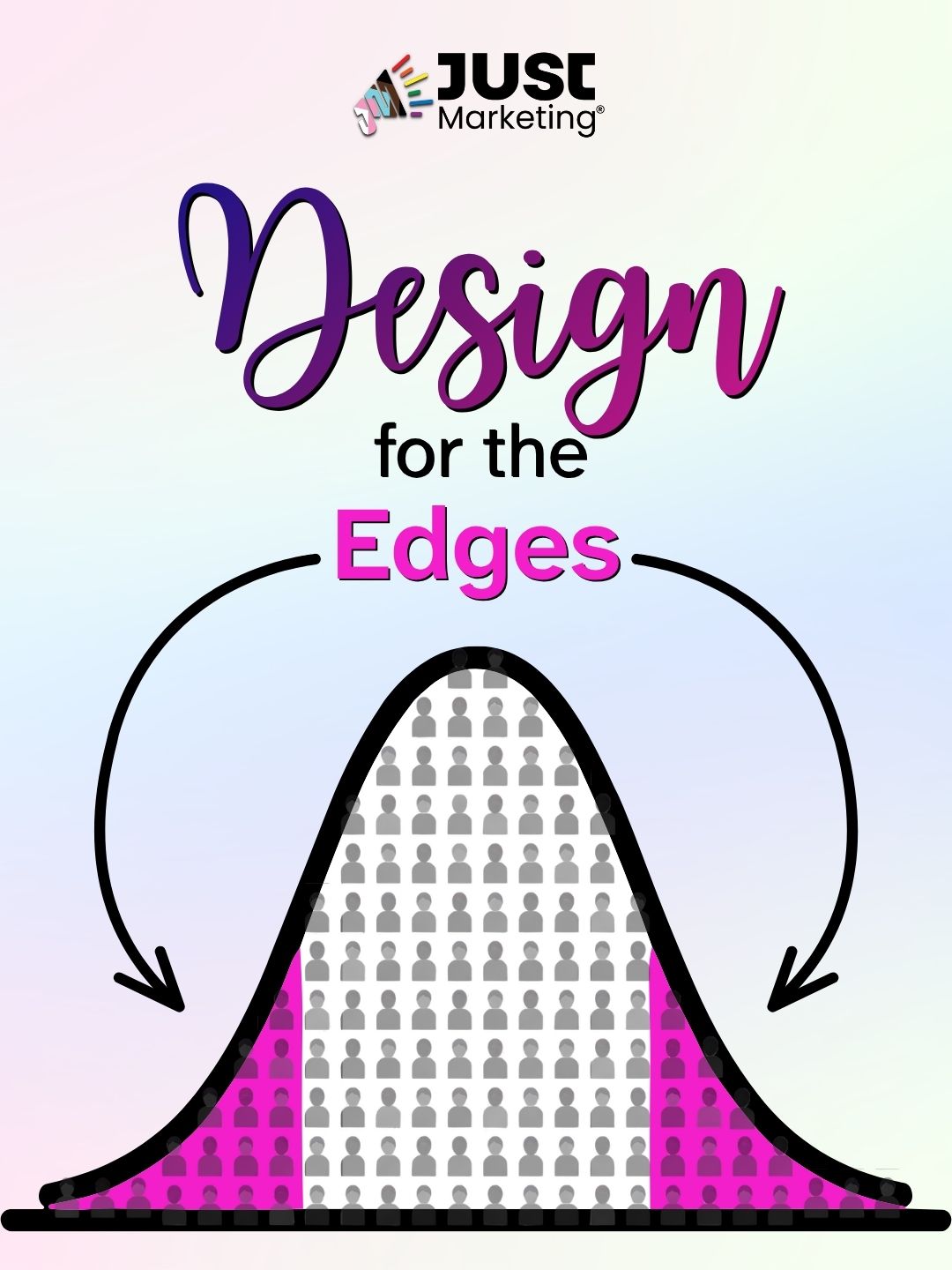
Designing for the edges means building your marketing around the people most often overlooked, like disabled and neurodivergent folks. When content works for them, it usually works better for everyone. Captions are the classic example: they serve Deaf viewers and anyone scrolling with the sound off in a coffee shop. (I dig into the full idea, including the curb cut story behind it, in Design for the Edges.)
Here's where small businesses shine: finding your edges can be as simple as asking.
- Look at who's already here. Think about the clients you've served. Who needed something a little different? Maybe someone asked for a transcript, or a client mentioned your emails felt overwhelming.
- Invite feedback from people with lived experience. A short message to a past client works well: “I'm making my content easier to use. Would you be open to sharing what helps or gets in your way?” If you ask for more than a quick reply, pay them for their time.
- Run a five-minute edge check. Before you publish, watch your video with the sound off and read your post on your phone in bright light. These quick tests catch a surprising number of barriers.
- Notice your own edges, too. Plenty of small business owners are neurodivergent or disabled themselves. If a step in your marketing drains you, it may be a barrier for your audience as well.
How to Make the Shift as a Small Business
These strategies are built for businesses where one person (or a tiny team) does it all. Pick one or two to start, and add more once they feel like second nature.
1. Turn your values into a reusable checklist
When you're the whole marketing department, good intentions get lost in a busy week. A short pre-publish checklist does the remembering for you. Include items like alt text, CamelCase hashtags, captions, and a quick tone check for pressure language. Then bake what you can into your templates, such as Canva designs with accessible color contrast already set. My ADHD friends, this one's a game-changer.
2. Add an access-needs question to your intake form
A single optional question like “Is there anything that would make working together easier for you?” gives clients room to request things like captions or written recaps. It costs nothing, and it signals from day one that their needs matter.
3. Share your real capacity
Let people know how many clients you take and when spots actually open. Honest numbers help people plan, and they replace the need for fake urgency entirely. A line like “I'm opening two client spots for January” respects your energy and your audience's time.
4. Set equitable pricing at your scale
One of the perks of owning the business is that you set the policy. Consider a couple of sliding-scale spots each quarter, payment plans without added fees, a pay-it-forward option where clients can sponsor someone else's seat, or free resources for folks who aren't ready to buy. Start with whatever your budget can sustain, and be transparent about how it works.
5. Publish an accessibility and values statement
A short page on your website can describe your current accessibility practices and explain how people can flag a barrier. It takes an afternoon to write and gives your audience a clear way to hold you accountable. My own mission, vision, and values page is one example.
6. Build a values-aligned referral network
Community over competition works especially well for small businesses. Partner with other values-aligned business owners on workshops or co-created content, and refer people out when they'd be better served elsewhere. When you collaborate with creators from marginalized communities, pay them fairly and credit their work. For local businesses, community organizations make wonderful partners, too.
7. Focus on fewer channels
Captioning every video and writing alt text for every image gets much more manageable when you're on two platforms instead of six. Choose the channels where your people actually spend time, and do them well. Your energy is a resource worth protecting.
8. Make your progress visible
Share what you're changing and why, including the parts you're still figuring out. A quick post like “I've started captioning all my videos, so let me know if anything's missing” builds trust and invites the feedback that helps you improve. Your audience will appreciate the honesty and steady effort.
Free and Low-Cost Tools for Small Businesses
You don't need an enterprise budget to make your marketing more accessible and inclusive. These tools are free or close to it.
Tool What it helps with Cost WAVE Flags accessibility issues on your website Free WebAIM Contrast Checker Tests whether your text and background colors are readable Free YouTube Studio Auto-generates captions you can edit for accuracy Free Hemingway Editor Highlights long sentences and complex wording for plain language Free web version Nappy Stock photos featuring Black and Brown people Free Disabled And Here Stock photos of disabled people of color Free Disability:IN stock collection Stock photos featuring disabled people Free
Need help writing descriptions for your images? Start with my alt text best practices.
Your Next Step
Choose one strategy from this list and give it a try this week. Adding an access-needs question to your intake form or drafting your pre-publish checklist are both great places to begin.
I'd love to know: what's one advantage of being a small business that you're excited to lean into? Share it on LinkedIn.
Want support building systems that fit your business? Explore how we can create an ethical, ADHD-friendly marketing system together, or join my email list for weekly-ish tips delivered with kindness and clarity.
FAQs
Yes! Many of the most impactful practices are free, like adding alt text to images, editing auto-generated captions, writing in plain language, and running your website through a free checker like WAVE. Starting with one or two habits and building from there keeps it manageable for any budget. Learn how to write helpful alt text for your images.
Build it into systems so it doesn't depend on memory or motivation. A short pre-publish checklist and accessible design templates handle much of the work for you. Focusing on fewer marketing channels also keeps the workload realistic.
Designing for the edges means building your marketing around the needs of people who are most often overlooked, such as disabled people and underrepresented communities. Content that works for them tends to work better for everyone. Read the full guide to designing for the edges.
Show up for communities year-round, including the months when a cause isn’t trending. When you feature creators or community members, involve them in shaping the content, and pay and credit them fairly. Consistent actions over time build far more trust than one-off posts. Learn how to amplify diverse voices with care.
Absolutely, as long as it's true. Small businesses have genuine capacity limits, and sharing them honestly helps people plan. Manufactured urgency, like countdown timers that reset, is where trust starts to break down. Learn more about artificial urgency.
Begin with a quick audit of your website and social media through an accessibility and inclusion lens. Pick one or two changes to focus on first, such as captioning your videos or diversifying your imagery. Sharing your progress with your audience builds trust along the way. Read the full guide to Just Marketing®.